Product functionality change: Event Settings Are Now Predictable
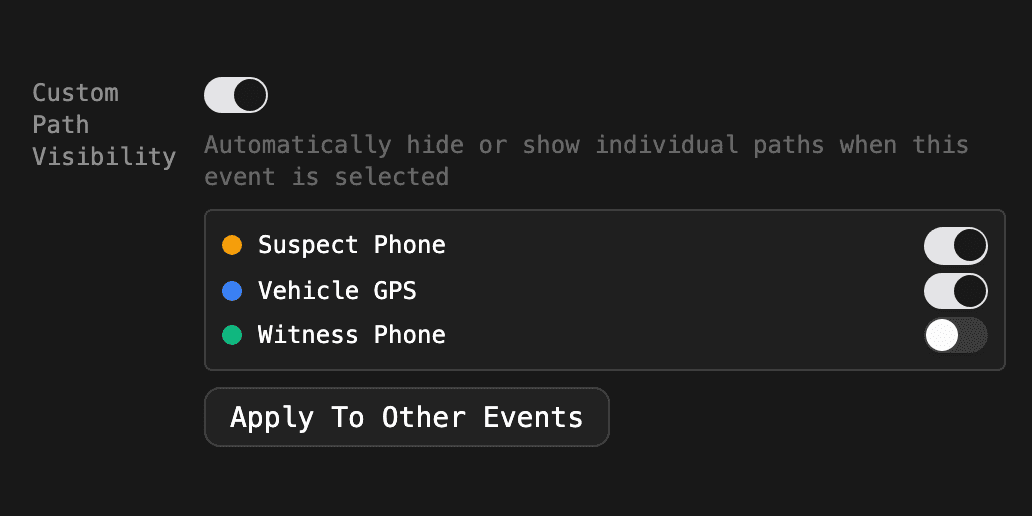
A small change to how events behave when you click through them.
What changed
Before, pane sizes and path visibility carried over from whatever you last dragged or toggled. Open an event with no custom layout, and you got the layout from a few clicks ago. It was hard to predict.
Now there are two states, and only two:
- The event has a custom setting. You get exactly that.
- It does not. You get the default, the same as a fresh page load.
Resizing a pane or hiding a path while browsing still works. It just does not follow you to the next event.
The trade-off
You may need to set custom pane sizes or path visibility on more events to get the behavior you want. To make that fast, both settings in the event editor now have an Apply To Other Events button. It lists the other events on the timeline with a checkbox. Uncheck the ones to skip and press Apply.
It applies immediately to the other events. Press Save to apply it to the event you are editing.
Related posts
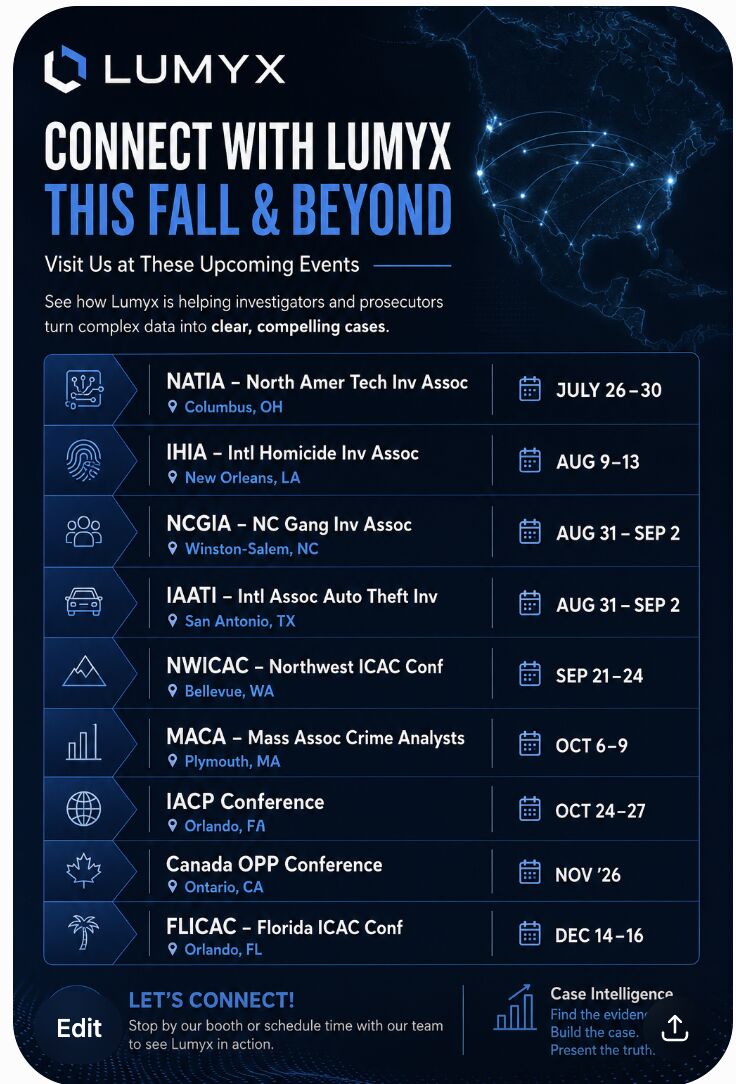
Where To Find Lumyx This Fall
Nine conferences between July and December 2026 — NATIA, IHIA, NCGIA, IAATI, NWICAC, MACA, IACP, OPP, and FLICAC.
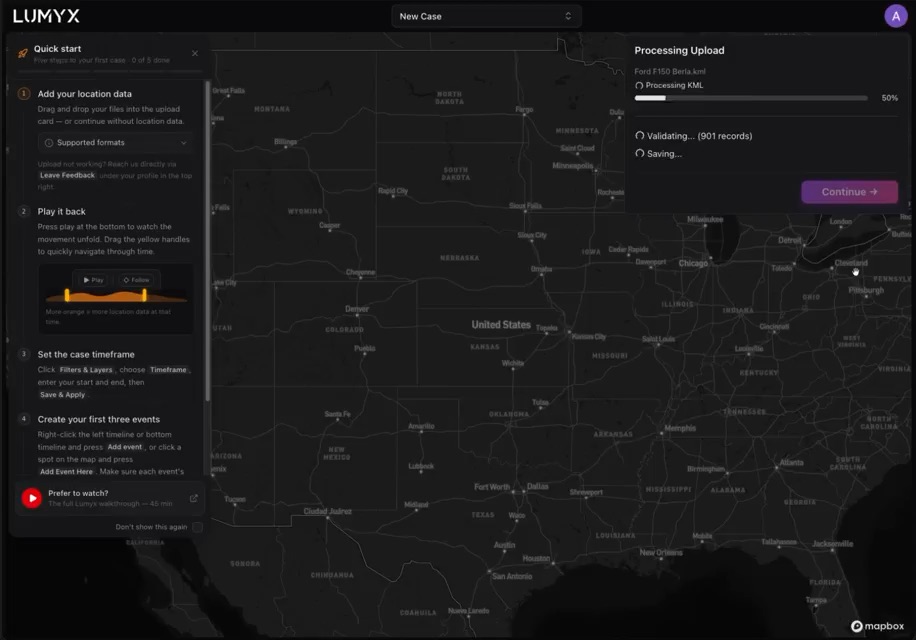
A New Quick Start Guide, Short And Sweet
A guide to the first few steps in Lumyx that doesn't turn into another thirty-step tutorial everybody skips.

Pattern Of Life Analysis In A Single Click
The new pattern of life filter surfaces visited locations across recurring timeframes, on every location data type Lumyx supports.