
Alek Hurst
Founder & CEO- Ex-Grayshift / Graykey
- Ex-Magnet Forensics
- 10+ years building software
We believe the value of evidence isn't measured by how much is collected, but how clearly it can be understood, connected, and communicated.
Lumyx turns your complex digital evidence into a stunning case presentation — a.k.a. the “crimeline”. Agencies use it for investigations, storyboarding, and presenting to DAs. DAs use it for plea deals and trials.
Cellebrite, Magnet, Berla, Flock, T-Mobile, AT&T, Verizon — every tool you already use, unified into one case.
From initial triage of location data to re-constructing high profile cases — Lumyx provides you the tools to turn complex digital evidence into a clear, compelling story.
The simplest tool to view, analyze, and present CDRs. Upload, animate movement, visualize towers, and run advanced analysis (timing advance, cell sectors, and much more) to turn raw records into a courtroom-ready story. T-Mobile · AT&T · Verizon · External Tower Lists.
Lumyx is trusted by stakeholders in both criminal and civil cases, from initial investigation to courtroom presentation.
Quickly investigate location data and build clear timelines fast.
Import forensic datasets simplify them into a clear demonstrable.
Map suspect movements and surface patterns across cases to drive new leads.
Keep cases moving with a simplified version written down in one place
Create clear, visual case timelines in minutes.
Present a LUMYX presentation in closing to end your case with impact.
Test alternate timelines and challenge assumptions.
Clarify incident paths and liability at a glance. Generate clear demostrables for trial and settlement.
Trusted by agencies across the country





“The Lumyx timeline saved us a full day of deliberation and turned the ‘kaleidoscope’ of evidence into a clear story.”
“Lumyx is such a clean and crisp software!!”
Our mission
We believe the value of evidence isn't measured by how much is collected, but how clearly it can be understood, connected, and communicated.
Our mission is to maximize the value of every piece of evidence so investigators can uncover the truth faster and prosecutors can present it with clarity and confidence.
Our founders are committed to building innovative technology for public safety. They have dedicated their professional lives to creating technologies missing from the industry, most recently at Grayshift where they built the GrayKey and forensic tools used by the world’s leading law enforcement agencies.






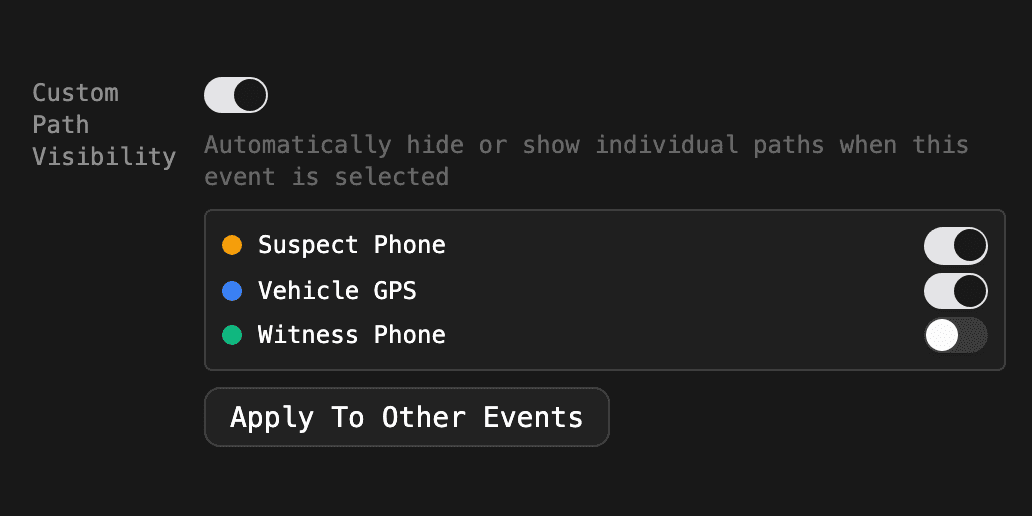
Pane sizes and path visibility now reset between events unless an event saves its own. A new Apply To Other Events button makes that fast.
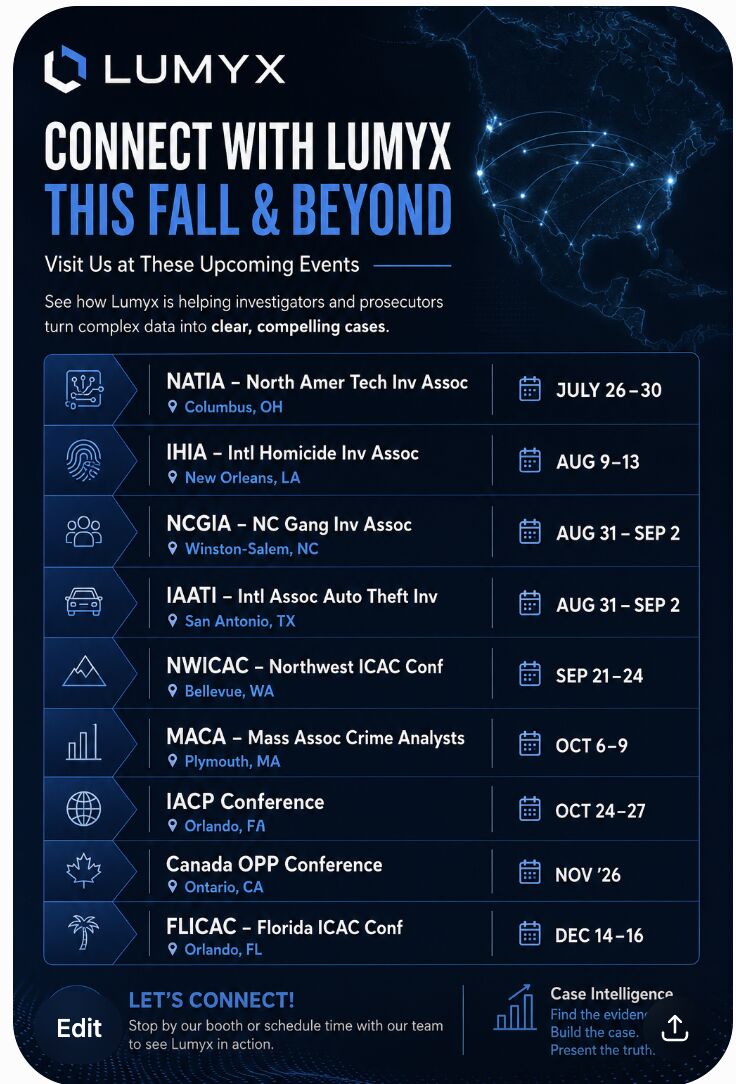
Nine conferences between July and December 2026 — NATIA, IHIA, NCGIA, IAATI, NWICAC, MACA, IACP, OPP, and FLICAC.
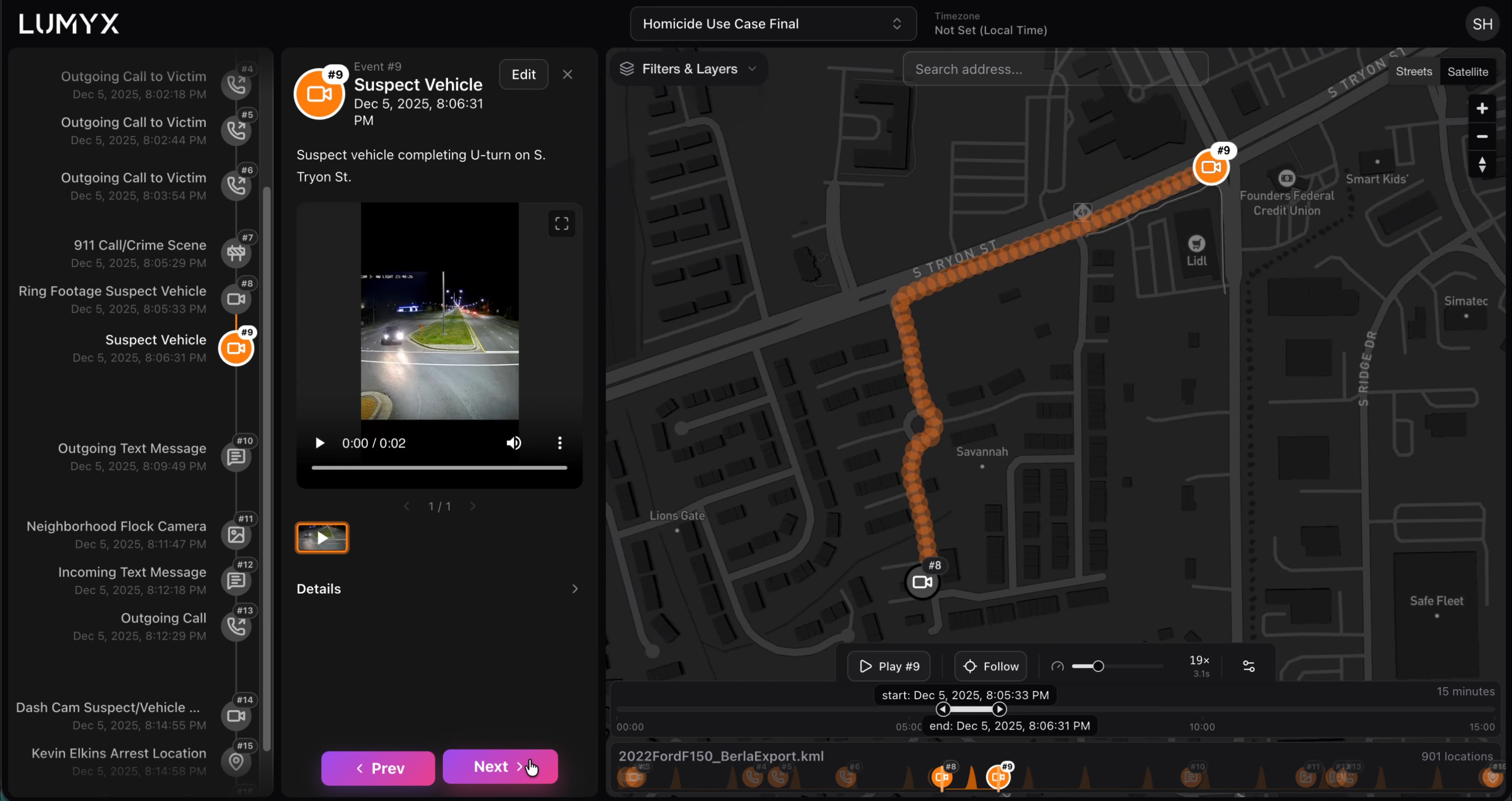
The case file is scattered across extractions, CDRs, plate reader hits, and video. The investigation timeline is where it becomes one story.